
MBOX Viewer Desktop App
for Large Email Archives
Professional MBOX file viewer for Windows, Mac & Linux. Process gigabyte-sized email archives offline. View, search, delete and export MBOX files efficiently.
All Desktop App Features
Professional MBOX management with all essential features
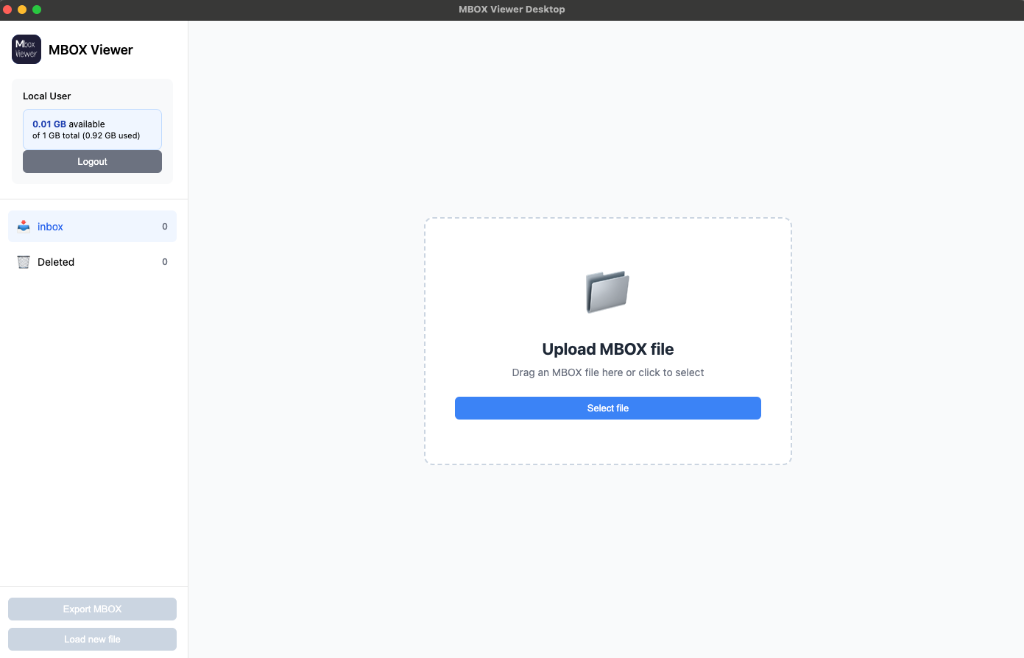
🔍 Click to enlarge
Process Large Files
Open large MBOX files of several GB without any loss of performance. Stream-based processing for maximum efficiency.
Search & Filter
Search thousands of emails in seconds by subject, sender, or content.
Delete Emails
Delete unwanted emails and export the cleaned MBOX file. Perfect for archive management.
Re-export MBOX
Export your emails as a new MBOX file - without deleted emails.
View & Download Attachments
View all attachments of an email and download them individually. Supports all common file formats.
HTML & Text View
Switch between formatted HTML view and plain text. Full support for all email formats.
The app tracks your usage locally. Your data remains 100% private on your computer.
Optimized for performance. Load a 5 GB file in under 30 seconds - 10x faster than in browser.
After initial token validation, the app works completely offline. No internet connection needed.
Why Desktop Instead of Browser?
❌ Browser Limitations
- RAM Limit: Browsers can only process a few GB
- Single-Thread: Slow processing through JavaScript
- Security: Strict memory restrictions
- Garbage Collection: Frequent pauses with large files
✅ Desktop Advantages
- Stream Processing: Files loaded in chunks
- Multi-Threading: Uses all CPU cores
- Native APIs: Direct file system access
- Optimized Memory: Efficient memory management
🎯 Recommendation:
For files over 2 GB, the desktop app is the only reliable option. Browsers can crash or freeze with very large files.
How to Use the Desktop App
Download & Installation
Download the app for your operating system and install it. The app is free and open source.
Enter Token
Open the app and enter your API token (found in your account). This links the app with your quota.
Open MBOX Files
Select your MBOX file - no matter how large. The app processes it efficiently and displays all emails.
Download Desktop App
Available for Windows, macOS, and Linux. Free, open source, no registration required.
Version 2.0 • 79 MB
Windows 10/11 (64-bit)
Version 2.0 • 96 MB
macOS 11+ (Intel & Apple Silicon)
Version 2.0 • 105 MB
Ubuntu, Debian, Fedora, etc.
Ready for Professional MBOX Viewing?
Download the desktop app and process MBOX files of any size